Quick Start
Create Your Account
Create an account and get $25 in free credits just for being here and reading this tutorial! Click this link to activate.
Deploying Your First Application
Provisioning Your First Territory
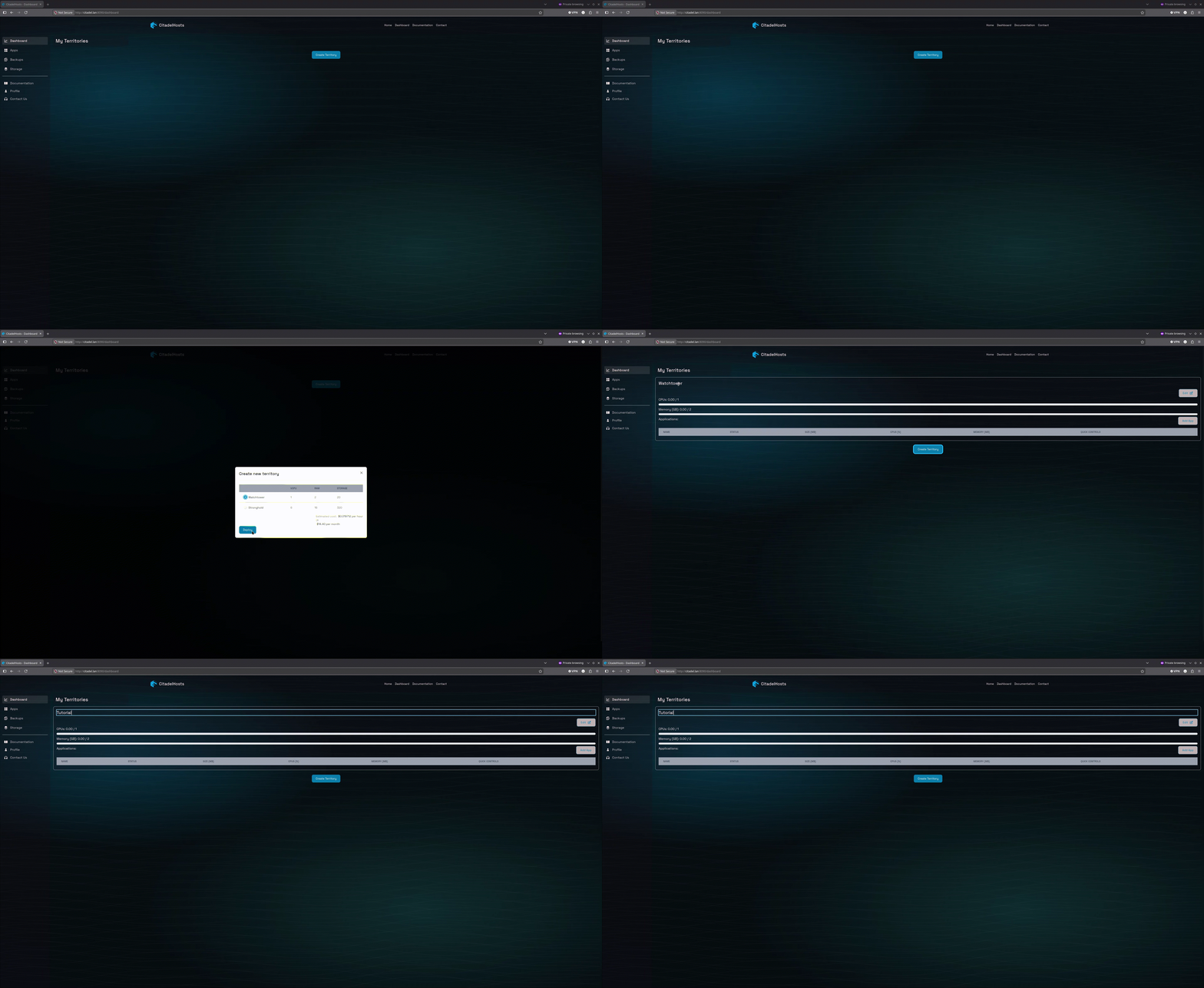
In order to deploy your first application, you first need a Territory to deploy it on. A Territory is similar to a Virtual Private Server (VPS) except that on your Territory you configure all of the running applications through CitadelHosts. This makes it so you don't have to handle any of the configuration files or services manually. Instead, you just define applications in the platform and deploy them through the interface.
To create your first Territory, simply select "Create Territory" from your Dashboard. This will bring up a window that allows you to select how many resources you would like your Territory to have and you can see how much deploying is going to cost. For this guide, we are going to go with the Watchtower Territory size. 1vCPU and 2GB of RAM will be plenty for running a personal application.
Once your Territory has finished being provisioned by the backend, you should be brought back to the Dashboard, and now you should see your Territory. You can change the name of your Territory by clicking on "Watchtower" and typing a new name.
Deploying Your First Application
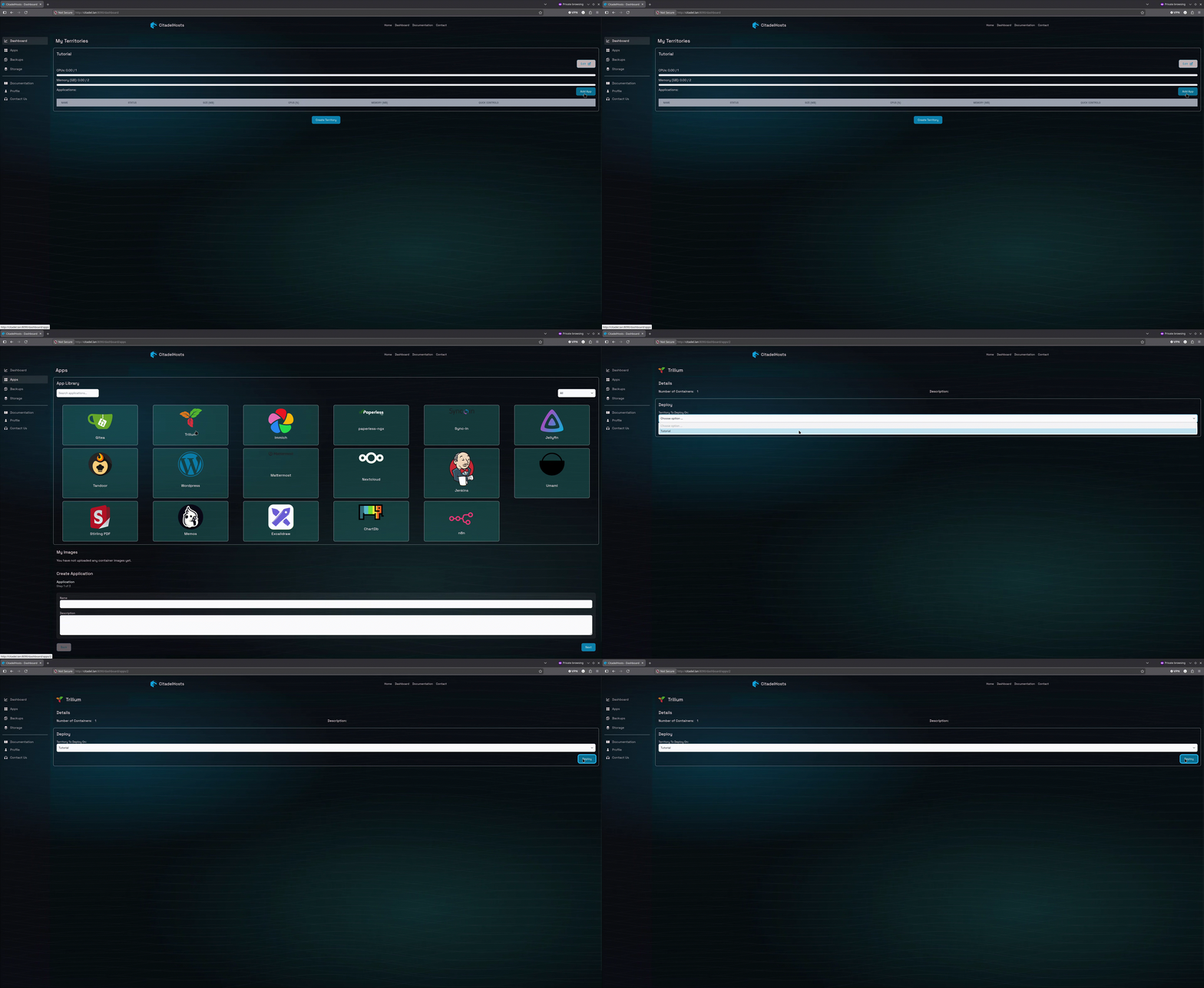
Great job! Now you have a Territory on CitadelHosts! But it doesn't seem like it is doing too much yet. Let's run an application on it. In order to deploy your own application in the Territory, you can press "Deploy App", navigate to the "Apps" page by clicking the corresponding link in the left sidebar or the Dashboard, or click here.
You can now see all of the available applications for your account in your own App Library. We are going to deploy an application called Trilium. Trilium is a notetaking, knowledge building application. I use it all the time for organizing my thoughts, so I pre configured it for everyone using CitadelHosts to be able to deploy easily. Select Trilium from your App Library to deploy it.
After you click on the application, it will take you to the deploy page for that application. On this page you can select which Territory you would like to deploy the application onto. If you have just been following this guide, you only have the one Watchtower Territory to select from in the selection box. As your services grow, you may have other options to select here, and the ability to manage multiple instances is as easy as selecting other Territories and deploying the application again.
Managing Your New Application
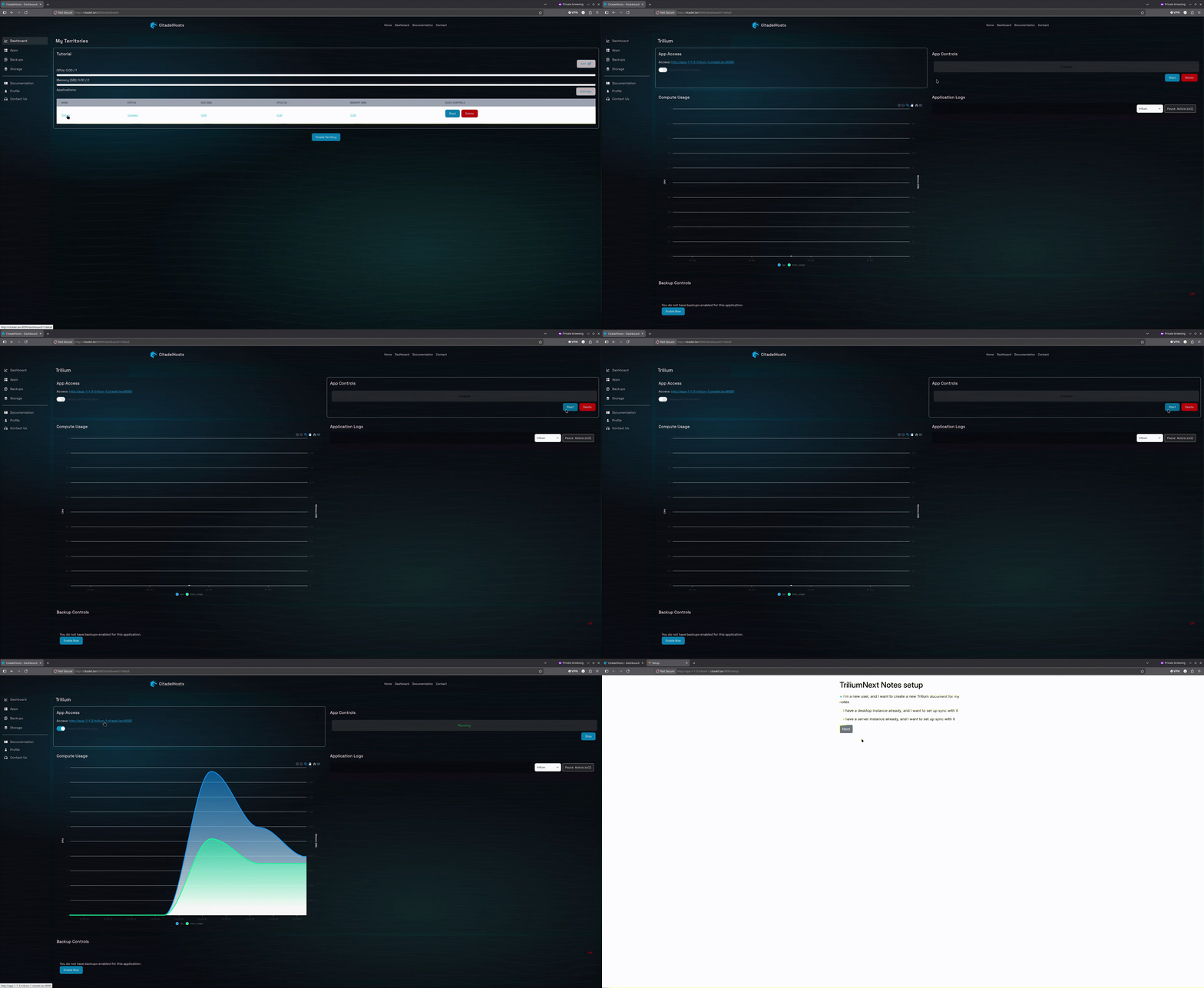
Deploying an application will take you back to the Dashboard. From here, you will now see the new Trilium application "Created" in your Territory. You can quickly control all of your applications from your dashboard. Click on the link for this application to view the Application Details page.
From here, you have a full breakdown of the details of your deployed application. You can explore the resource usage, mount Storage Volumes, and see the logs coming from the app. Click on "Start" to actually start your new application.
Once Trilium is up and running, you can load the application in your browser by going to your unique link that is presented as an Access Link from the Application Details page. This link automatically handles SSL encryption and provides a secure tunnel for you to access your app. You can secure this link further by toggling the "Require Authentication" to be on. This will require a user to be logged into your CitadelHosts account to be able to access your link/application.
What's Next?
That's all there is to it! You now have your very own Trilium instance running on CitadelHosts! You can even deploy more applications from the App Library to this one single Territory.
I hope this guide was able to show you just how easy it is to get up and running on CitadelHosts. But, CitadelHosts is also flexible enough to handle more complex deployments too. If you want to learn how to deploy your own custom applications on the platform, check out our framework guides.